Keep a clear starting point
What-If mode retains the original forecast as a baseline while your changes run through a second path.
Financial scenario comparisons
Retire earlier. Buy a home. Save a little more. Try the change and see the difference alongside the forecast you started with.
See what’s possible
Change an assumption, compare the two paths, and decide which version you want to keep exploring.
Read the detailed guideWhat-If mode retains the original forecast as a baseline while your changes run through a second path.
See how a decision affects the long-term chart and the details behind individual years.
Apply your changes, revert to the original, or save another plan. You can also compare saved plans.
Explore the details
A familiar life question can involve several connected entries. The scenario picker groups those changes into a starting point for a comparison, whether you are exploring work, family, housing, or retirement. After trying the scenario, inspect its dates and amounts before drawing conclusions from the new forecast.
From a question to a clearer picture
A useful comparison starts with a question you can name. Keep the household’s current figures consistent, then vary the future choice you want to understand.
Review your income, expenses, accounts, property, and retirement dates. Open What-If on the projection overview to hold that forecast as the baseline. Its original path stays available while you explore edits.
Move a retirement date, adjust a contribution, or change when a property is sold. The connected projection runs again, carrying the change through income, spending, withdrawals, taxes, and later balances. Start with one choice so its effects are easier to trace.
Compare the paths across the years that matter, then inspect a selected year. Update the current plan to keep the edits, revert to the starting point, or save a separate plan. What-If edits remain unsaved until you choose.
Connect the whole plan
A choice that changes ending wealth may also change when the household pays tax or draws on accounts. Carry the same What-If into cash flow and tax analytics to explain those differences. Keeping the year and money basis consistent lets each view add detail to the same comparison.
One way to use it · illustrative scenario
Imagine a household planning to retire at 60 that would like to understand retiring at 57. Their accounts and spending estimates are already entered, including the income expected after work.
Try an example planStart What-If and change the retirement age from 60 to 57 while keeping the other assumptions unchanged. Check which income streams and expenses take their timing from retirement.
Look at the first three newly retired years, the accounts funding them, the estimated tax bill, and the later balance path. A higher ending balance alone would not explain how those bridge years are funded.
The comparison shows which parts of the plan depend on working longer and gives you a focused next question to test, such as a different budget or more saving before retirement.
Make sense of what you see
The screenshot keeps the original net-worth path beneath the edited projection. Look for the first year the paths separate, then follow whether that difference grows, narrows, or changes direction.
The year panel puts the new total beside Before changes. The income, tax, and net-worth details help connect the difference to the choices that produced it.
Milestone markers place retirement and other events along the same years. Use them to connect a change in the curve with the point at which the household’s financial life changes.
A little more detail
Compare with another plan projects the selected saved plan and draws its named reference line. Neither plan is changed by comparing, and ordinary saving continues. What-If holds your edits unsaved against the forecast you started from.
An account keeps up to two saved plans; start another by saving a What-If as a new plan or copying an existing one. Give each alternative a name that describes its main assumption so you can reopen and compare the versions later.
Current household figures are shared across plans on a profile. A saved balance correction updates entries linked to those figures; a plan can also keep its own adjusted entries. Retirement timing, contributions, growth assumptions, and other future settings remain specific to each plan.
Keep exploring
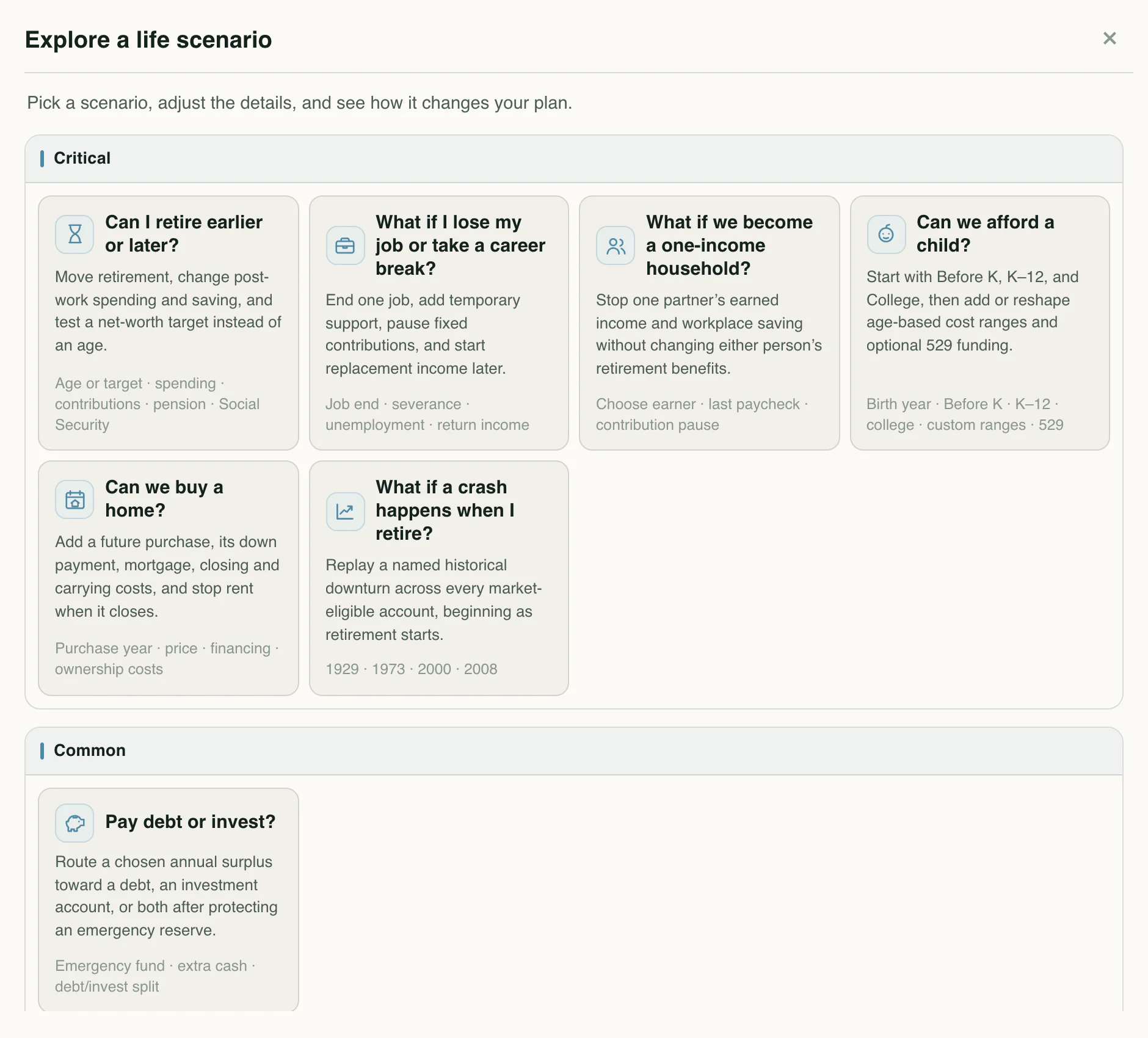
Model career changes, a growing family, education, and the milestones that make a plan yours.
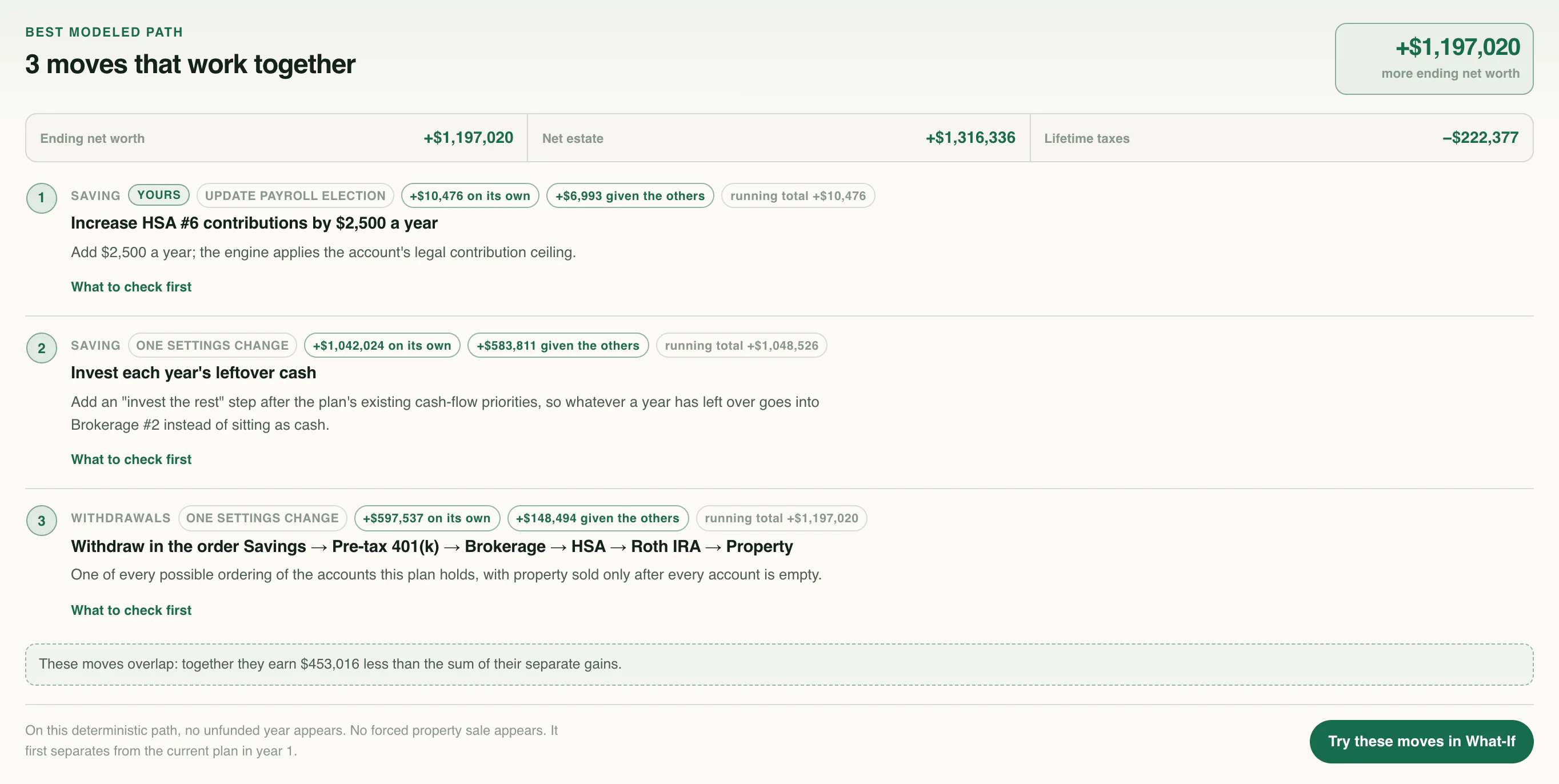
Test combinations of saving, spending, investing, property, and tax choices against the outcome you choose.
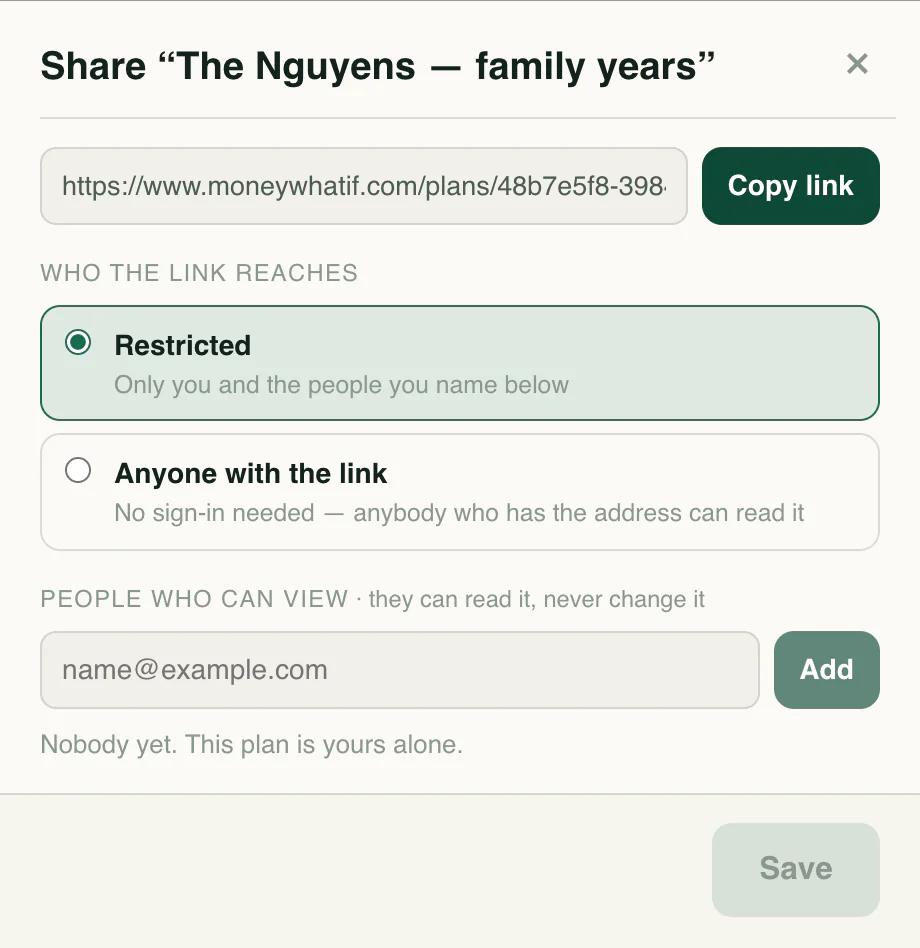
Organize household profiles and plans, then give the people you choose a read-only view.
Know the language
Your next chapter
Start with your numbers. See where they could lead.