Keep each household organized
Use profiles to separate households and keep their finances and plans together.
Plans, profiles & sharing
Keep households and alternative plans organized, then bring a partner, family member, or adviser into the conversation with access you control.
See what’s possible
Share the plan that matters to the conversation, with the right level of access for the people involved.
Read the detailed guideUse profiles to separate households and keep their finances and plans together.
Give specific people a read-only view, or enable link access when that fits the conversation.
Profile sharing supports view or edit roles across a household. Individual plan sharing remains read-only.
Explore the details
A profile groups a household’s current finances and related plans. Its financial overview helps establish whose starting figures are being discussed before someone opens a future scenario. Choose the sharing scope with that distinction in mind: a specific plan offers a narrower view than access across the profile.
From a question to a clearer picture
An individual plan can be shared for reading. A household profile can be shared for broader collaboration. Choose the scope first, then the people and permissions.
Open the plan that supports your conversation and use Share this plan in its menu. If someone needs access to the household’s finances and every plan on the profile, use profile sharing instead.
For a plan, keep Restricted and add named viewers, or choose Anyone with the link for reading without sign-in. Profile sharing names people individually and offers Can view or Can edit. It has no public-link option.
Review the people and selected access before saving. Draft changes do not alter access until Save is pressed. Copy the plan link for the conversation; it opens the relevant plan page with the recipient’s permitted view.
Connect the whole plan
A household may want to compare several choices while discussing only one with another person. What-If and saved plans make the scenario itself identifiable. Once you choose the version to share, review its saved access settings so recipients see the intended forecast and understand which assumptions it represents.
One way to use it · illustrative scenario
Imagine a household that has prepared a downsizing scenario and wants an adviser to review its projected cash flow. They also keep other household plans they do not need to discuss yet.
Try an example planOpen the downsizing plan’s sharing dialog, leave access Restricted, and add the adviser’s email address as a viewer. Save the access settings, then send the link to the chosen plan page.
Confirm the intended email is listed and the link remains Restricted. The adviser signs in under that address and reads the plan; individual plan sharing does not grant editing rights or access to every household plan.
The discussion can focus on one scenario. If ongoing collaboration later requires editing household information, profile sharing provides that broader scope with an explicit role for each person.
Make sense of what you see
The selected option in the screenshot allows the owner and listed people to read the plan. Copying its URL does not make it public; access follows the saved settings.
Anyone with the link enables reading without sign-in. The named viewer list remains separate, so returning the link to Restricted does not remove people already granted access by email.
The dialog shows when settings have not been saved. Adding an address or selecting an option prepares the change; Save is the step that applies it.
A little more detail
Individual plan sharing is view-only. Editing access is granted through Can edit on a profile, which covers that household’s finances and all plans on the profile, including plans added later.
Yes. A signed-in viewer can save a copy to a profile they manage, where it counts toward the two plans an account keeps. The copy uses the destination profile’s household finances, is shared with nobody, and stops following the original plan.
Named viewers of a Restricted plan sign in using the address granted access. Anyone with the link permits reading without sign-in. Profile access always belongs to named people and does not offer an anonymous link.
Keep exploring
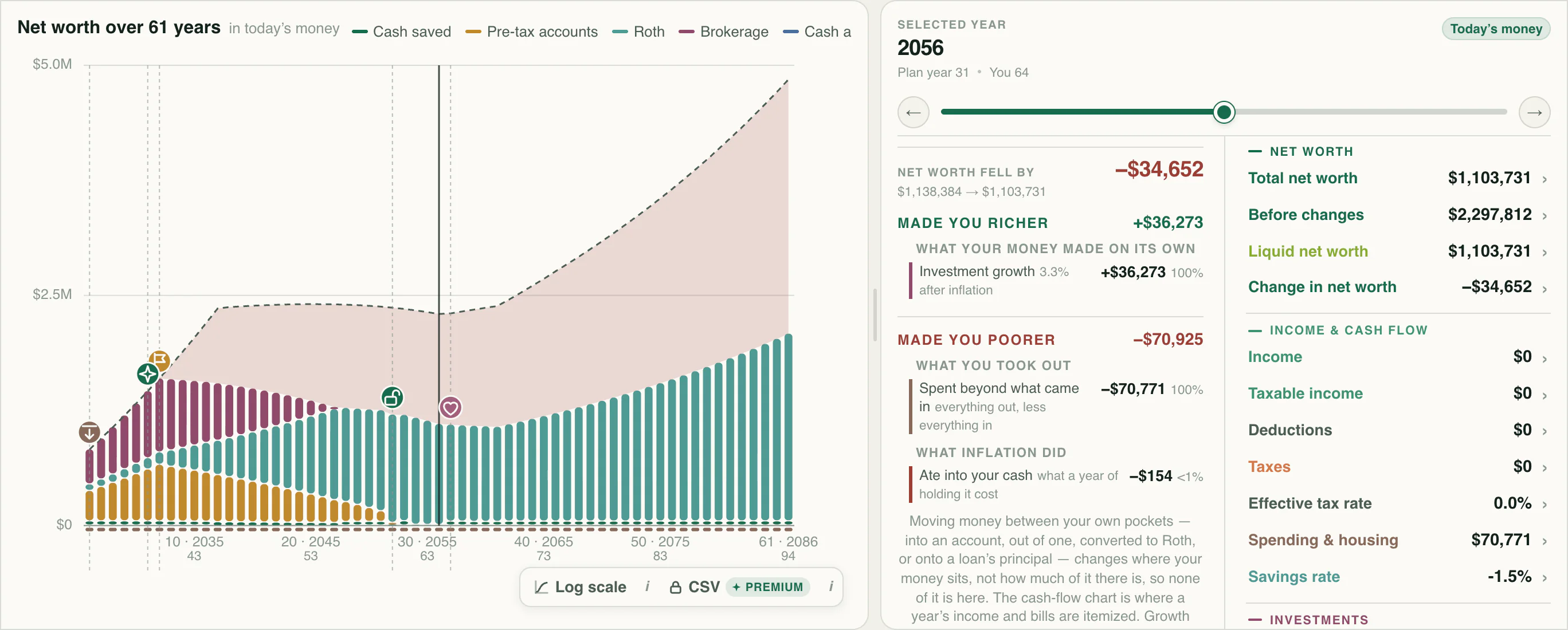
Compare financial planning scenarios for retirement dates, saving rates, career changes, and home purchases against your original forecast.
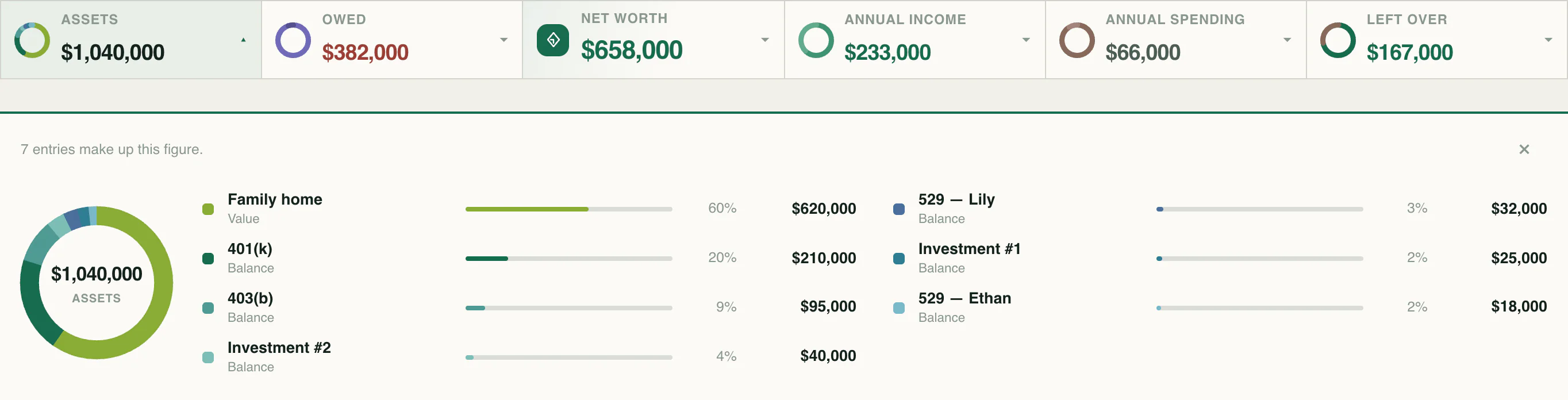
Track household net worth, account balances, property, and debts. Compare dated financial snapshots to follow your progress over time.
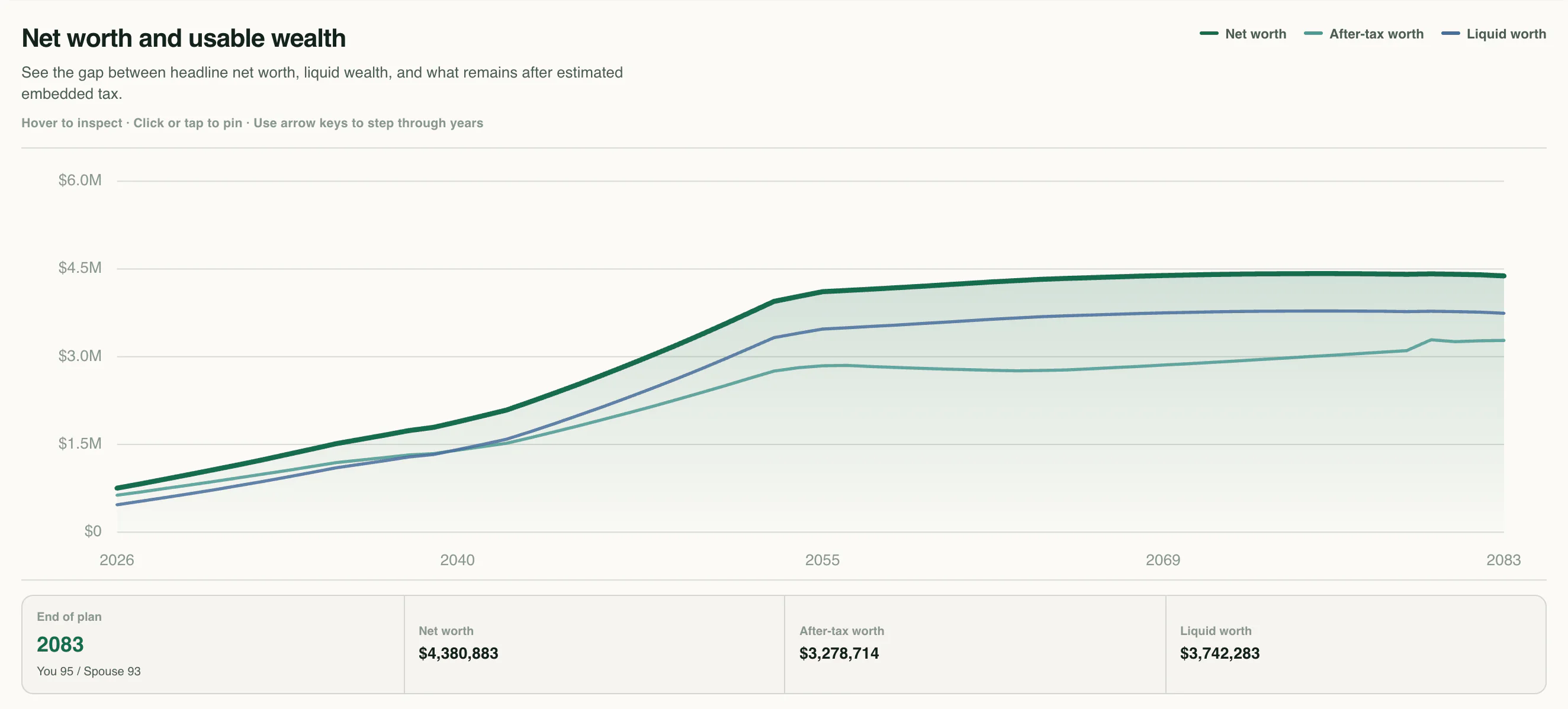
Review your financial plan in a readable report and export detailed annual projection and tax tables to explore the numbers behind your forecast.
Know the language
Your next chapter
Start with your numbers. See where they could lead.