Bring the balances together
Review accounts, property, debt, income, and expenses in one household view instead of updating every plan separately.
Net worth tracking
Give your household one clear financial starting point. Keep balances up to date and follow the actual progress you record over time.
See what’s possible
Update the numbers that change, keep a dated record, and bring those current finances into your plans.
Read the detailed guideReview accounts, property, debt, income, and expenses in one household view instead of updating every plan separately.
Update balances and values by hand as they change, so the plans you build start from current figures.
Track dated financial snapshots and add earlier entries by hand. History shows the figures you’ve recorded over time.
Explore the details
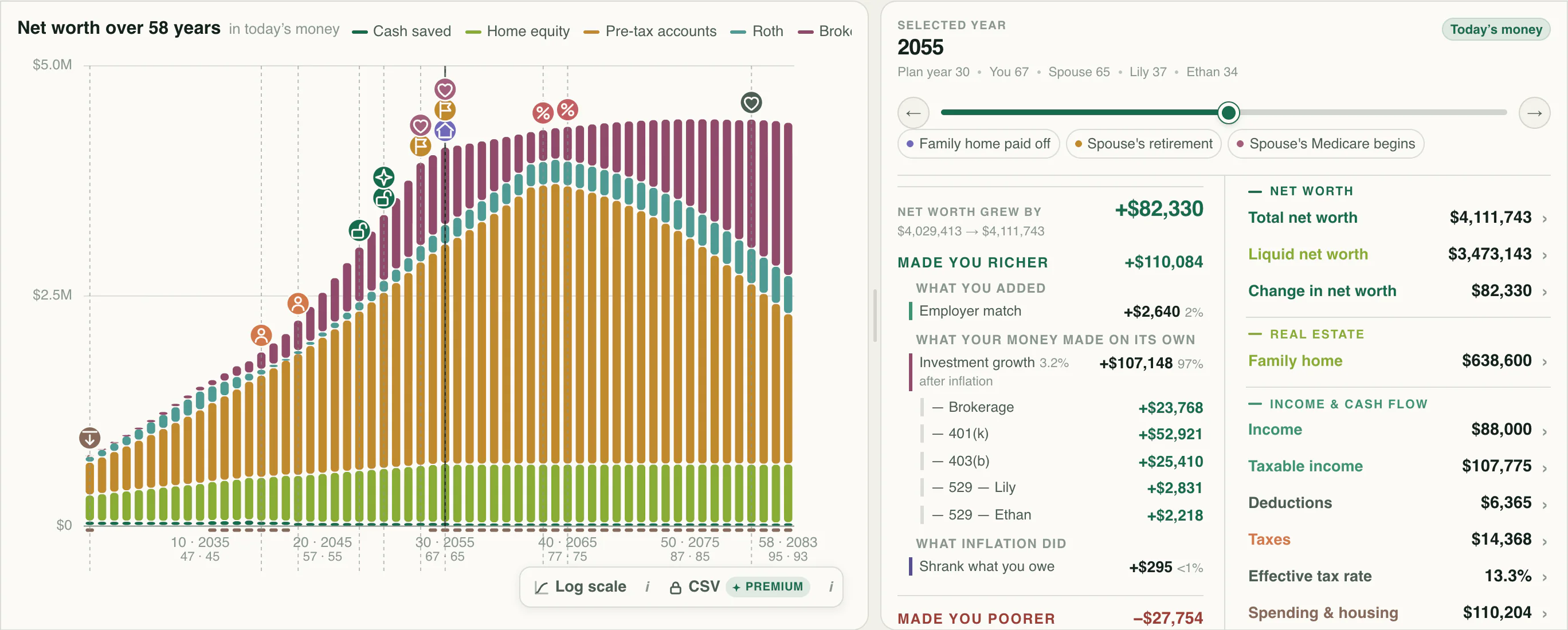
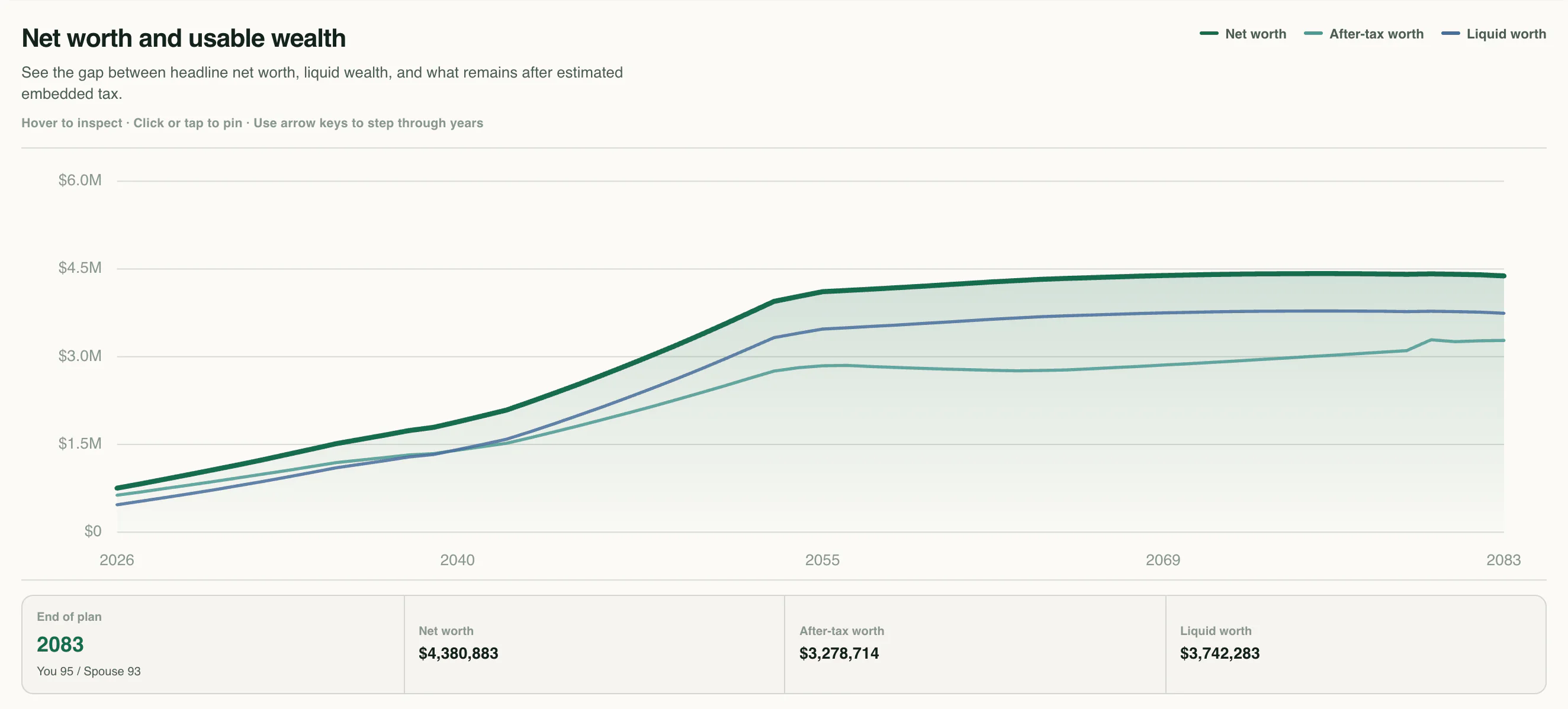
A household can hold wealth in property and retirement accounts while having a different amount available in liquid assets. Reports keep net worth, liquid worth, and after-tax worth separate across the projection. Comparing these measures helps connect today’s balance sheet with the kind of resources a future decision requires.
From a question to a clearer picture
A projection is easier to trust when its starting point stays current. The household overview brings today’s figures together; History records how those figures change over time.
Review account balances, property values, mortgage balances, other debts, annual income, and annual spending. Keep brokerage cost basis within the account balance. These household facts provide the common starting point for plans on the profile.
Edit rows or cards by hand when a balance, value, or debt changes. Review the changes and save your finances; edits stay unsaved until you do, so you can inspect them first.
Open a headline figure to see its contributing entries. Visit History to follow the dated record, compare a snapshot with the preceding entry, or add an earlier date by hand. Plans use the saved current figures for entries linked to the household.
Connect the whole plan
Current balances provide a starting point; contributions, growth, and withdrawals describe what may follow. The Accounts view keeps the individual balances visible throughout the forecast. It lets you connect an updated financial entry with the future path of that account without confusing recorded history with a projection.
One way to use it · illustrative scenario
Imagine a household keeping a retirement-at-60 plan and a retirement-at-63 alternative. A new statement shows a different investment balance and a lower outstanding mortgage.
Try an example planUpdate those two figures once in the household overview, review the assets and owed totals, and save. Keep the retirement dates and other future assumptions inside their respective plans.
Check the resulting net worth and its asset-versus-debt equation. Then reopen each plan to see its forecast from the corrected starting point, and inspect the new dated snapshot in History.
Both alternatives can be compared using the same current facts. History preserves the recorded household position while each projection continues to answer its own question about the future.
Make sense of what you see
The screenshot separates Assets, Owed, and Net worth. Expanding Assets lists property and accounts with their shares. Opening Net worth shows the subtraction, making it easier to distinguish what is held from what belongs to the household.
A family home, retirement account, and education account all contribute value, but they have different uses. The breakdown helps you see where the household’s wealth sits before exploring access and withdrawals in a plan.
Annual income and spending summarize the entries on the household sheet. Left over is income minus spending before saving. Use the projection’s cash-flow view for the detailed effects of timing, taxes, and funding choices.
A little more detail
History records a snapshot when you save your finances, and you can add earlier entries manually. Saving again on the same day corrects that day’s row. The gaps between dates represent gaps in the recorded history.
No. Historical entries describe past snapshots and do not feed a plan. Update the current household finances to change the starting figures used by your forecasts.
Update them by hand when a statement arrives or a value changes, then save your finances. Review property values, debts, and other estimates as well as account balances, since together they form the starting point for plans on the profile.
Keep exploring
Financial planning software to project income, spending, taxes, investments, and net worth year by year, then compare the choices that shape your future.
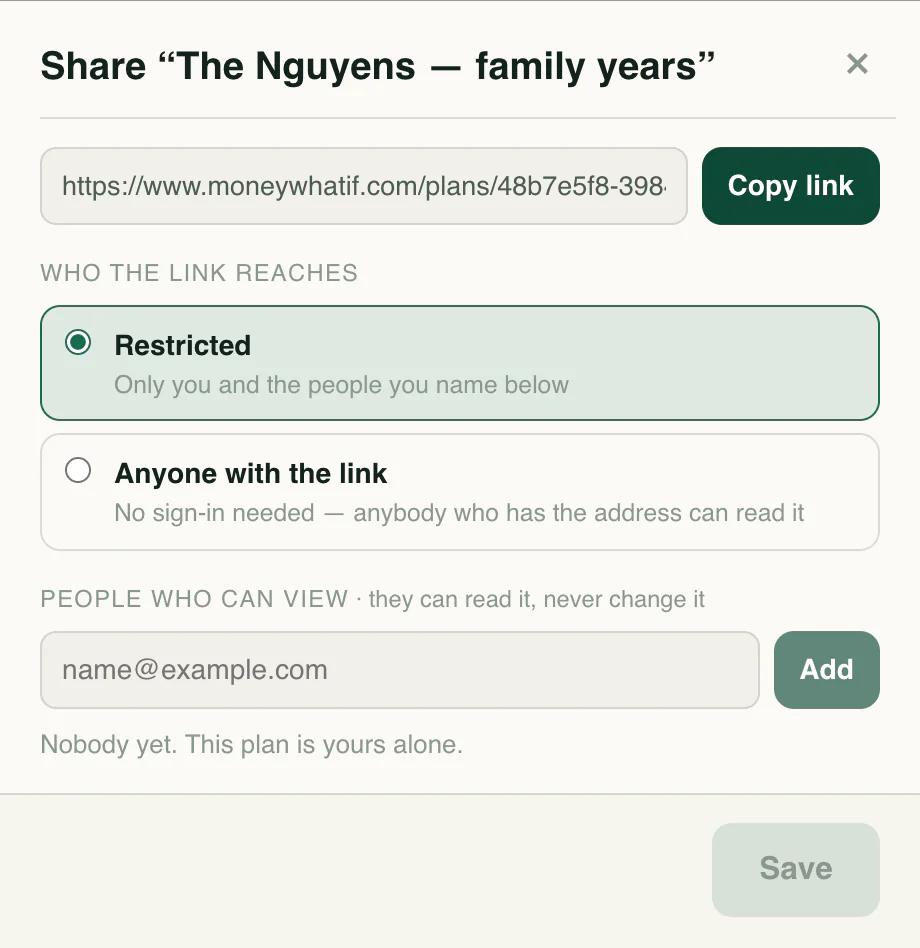
Organize household profiles and plans, then give the people you choose a read-only view.
Review your financial plan in a readable report and export detailed annual projection and tax tables to explore the numbers behind your forecast.
Know the language
Your next chapter
Start with your numbers. See where they could lead.